

NodalMerge Studio
NodalMerge Studio is a persistent collaborative runtime where humans and AI agents share goals, reasoning, execution, and artifacts as one content-addressed graph, built on the NodalMerge engine. Humans, AI agents, automation, and MCP tools work together through deterministic projections, coordinated task execution, and human review workflows. Every step anyone takes — a goal, a decision, a tool call, an agent’s chat turn, a merge — becomes a durable node in that graph. Every node can be inspected, branched, replayed, merged, materialized to a working tree, and audited. The durable graph is the product; agents are features of it. Repositories are just one projection of it.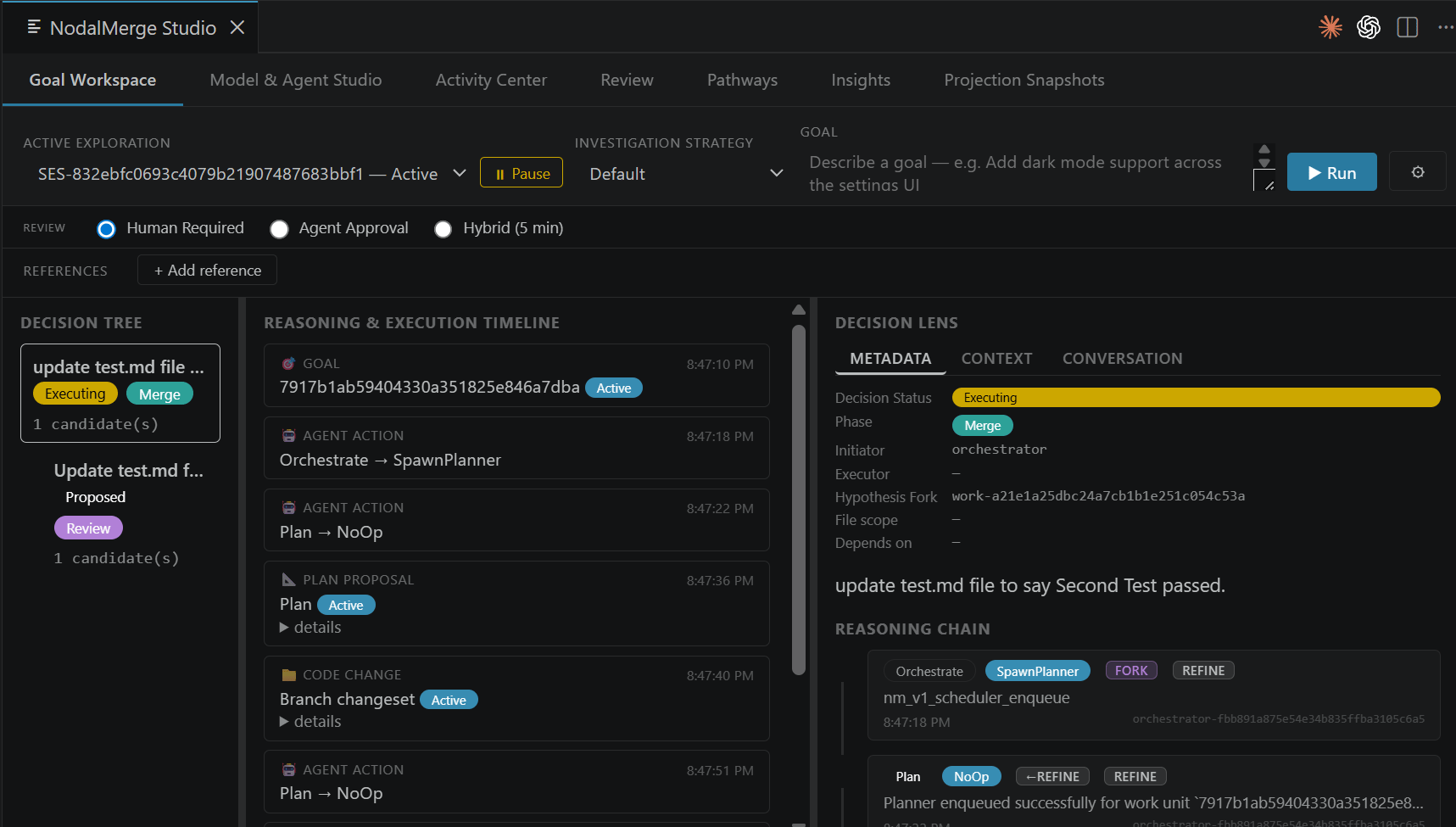
The artifact pipeline
- You define a goal. A human describes what needs to be accomplished.
- An orchestrator agent plans it. The orchestrator breaks the goal into work units and tasks.
- Worker agents execute tasks. Each worker operates on its own branch, producing changes.
- Merge proposals are generated. Workers submit structured proposals with full lineage.
- A proposal is reviewed and approved. By default a human approves it — a goal can opt into agent or hybrid review instead. See Trust & autonomy.
- State converges. Approved changes land in the authoritative branch.
Why teams use Studio
One shared graph
Every plan, task, proposal, decision, and agent chat turn is a persistent,
content-addressed node — shared memory for humans and agents alike. Trace any
approved change back through its entire lineage to the original goal.
Human-governed by default
Agents propose; humans decide. The merge review workflow enforces human approval
before speculative work lands in the authoritative branch — unless a goal
explicitly opts out.
Pathways: review, branch, materialize
Scrub the whole graph in the Pathways tab. Review the reasoning behind any step,
branch from any node to spawn an alternate execution, replay a proposal under a
different model, or materialize any node’s state back onto disk as a working tree.
MCP-native
A frozen MCP v1 tool surface with 117 tools across 21 namespaces. Integrate any
MCP-compatible client with the Studio host.
Get started
Install the extension
Get NodalMerge Studio from the VS Code Marketplace — the extension bundles the
Studio host, no separate install required. Needs VS Code 1.90+ and the .NET SDK 10.0.
Quickstart
Configure an agent profile and run your first goal in the Control Tower.
How Studio works
The three-layer architecture and how Studio relates to the NodalMerge core engine.
Source on GitHub
Browse the
nodalmerge-studio repo, or see Build from source
if you want to run it from a local checkout.